Early accessv0.12.3 for Windows
Talk to your PC. It listens, acts, and remembers.
OmniSky Assistant is a voice assistant for Windows, in Arabic and English. It opens your apps, reads and answers your email and messages, and runs your routines. Your settings, memory, and history stay on your PC, and what you ask goes only to the AI you choose.
- Windows 10 and 11, 64-bit
- Arabic and English
- No admin rights needed
Works with the apps and AI you already use
- Windows
- Outlook
- Telegram
- WhatsApp Business
- Claude
- OpenAI
- Gemini
- Chrome
- Edge
Just say it
One sentence, and it's done.
No menus to learn. Say what you want the way you would say it to a person, and it plans the steps, does them, and asks before anything risky.
YouOpen Excel and the October invoices folder.
OmniSkyExcel is open, and so is the October folder in Invoices. It has 14 files.
- Opened Excel
- Found the October folder in Invoices
- Opened it in File Explorer
Examples. The answers depend on your PC, your accounts, and the brain you choose.
Skills
Sixteen skills, one voice.
Everything it can do, built in. Connect only the accounts you want.
Voice
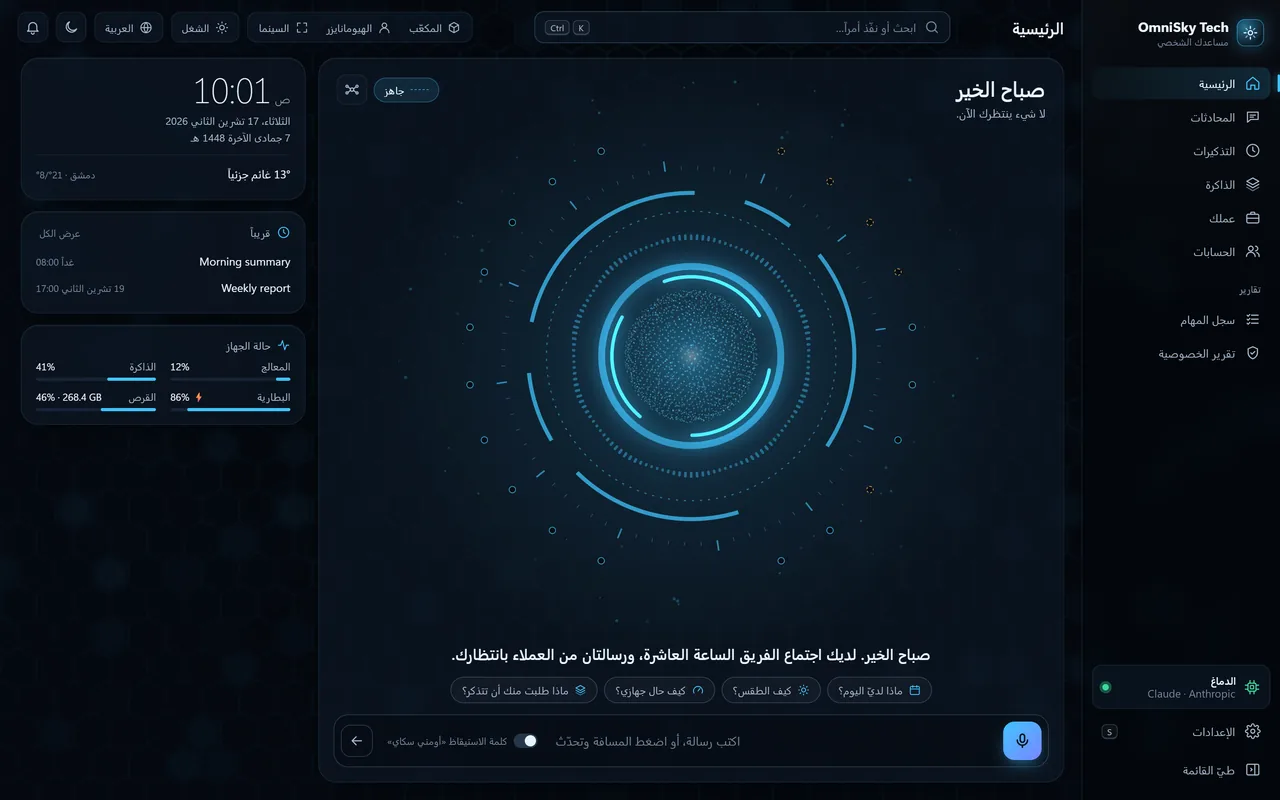
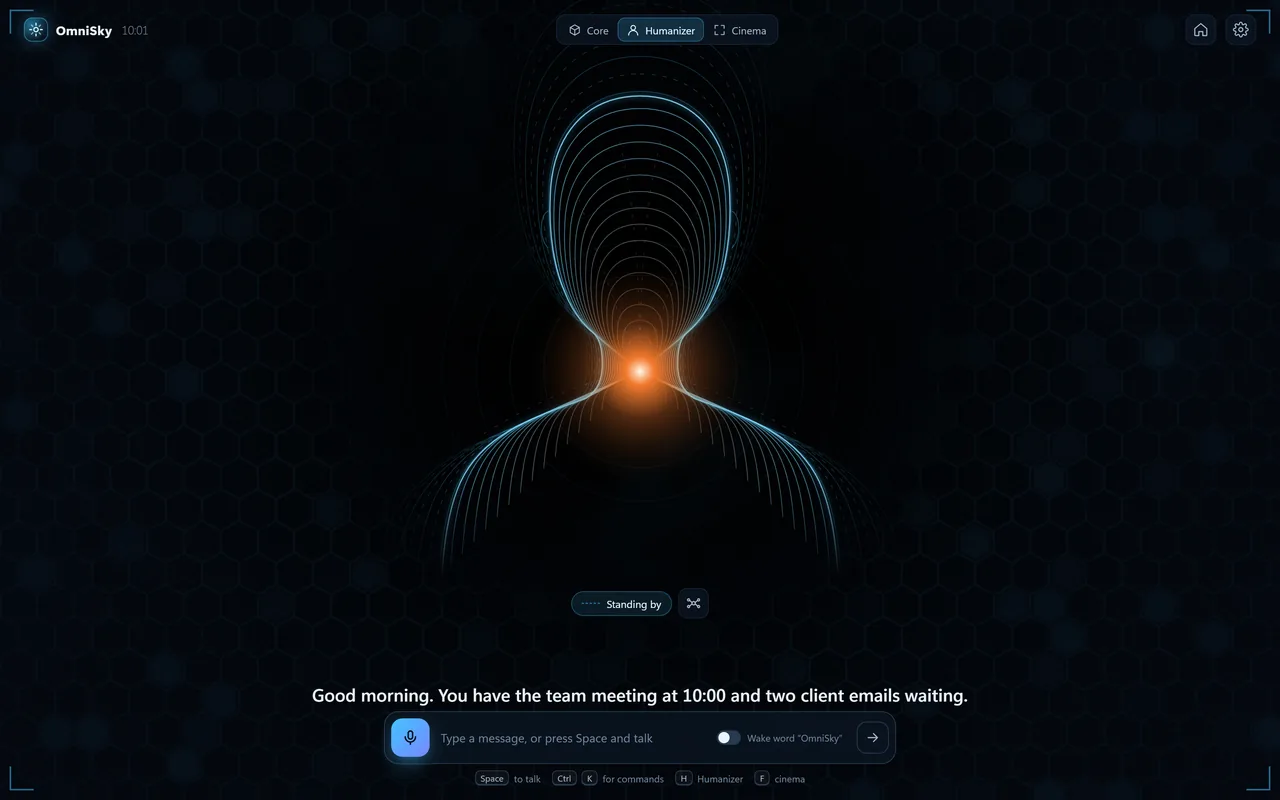
Listens and answers out loud, in Arabic and English.
Brain
Claude, GPT, Gemini, or a free model on your PC.
Memory
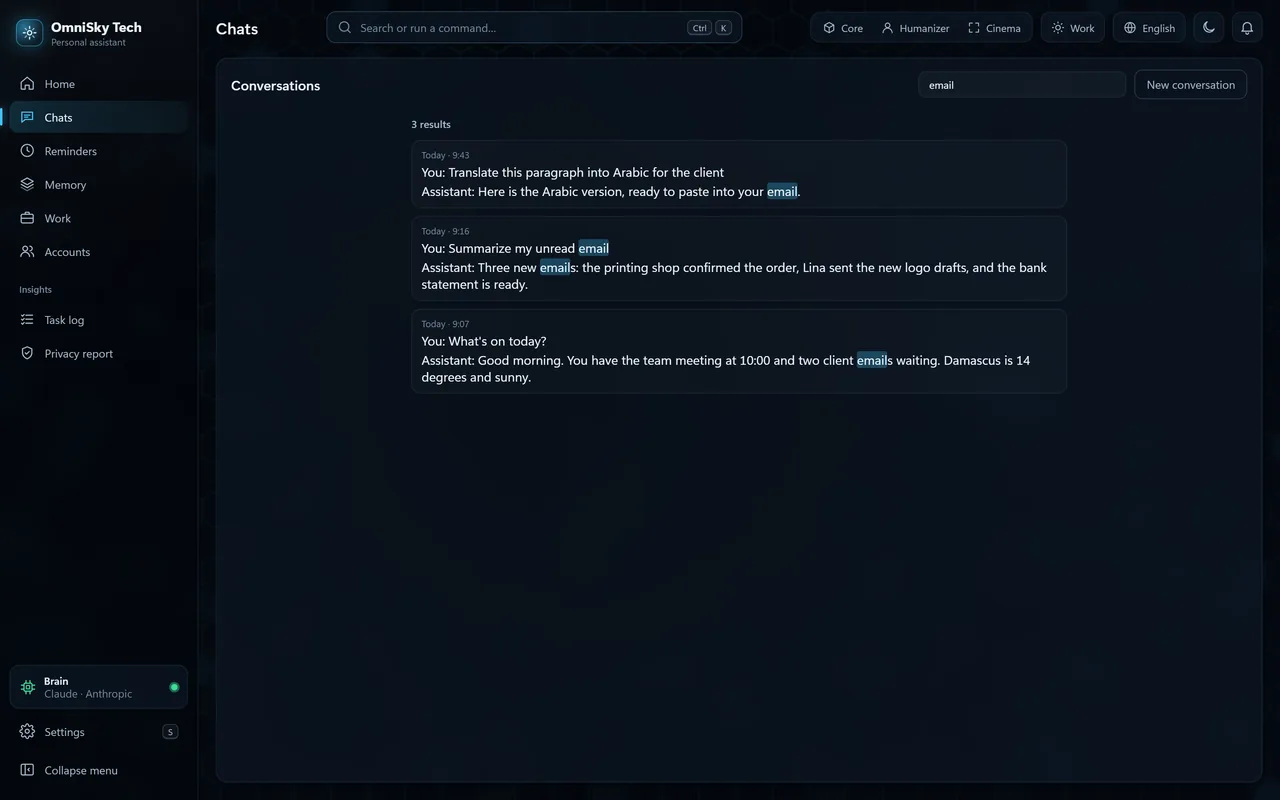
Remembers facts, contacts, and the words you use.
Web search
Searches the web and reads pages for you.
Apps and web
Opens programs and websites by name.
Files
Finds, opens, and moves your files and folders.
Screen control
Reads what is on screen, then clicks and types.
PC health
Explains what slows your PC, and fixes it with your yes.
Media
Controls the volume and your music.
Routines
Tasks that run every day, or when a message arrives.
Email and calendar
Reads, drafts, and sends in Outlook, and checks meetings.
Telegram
Reads your messages aloud, word for word, and replies.
WhatsApp Business
Reads and sends messages for your business number.
Social posts
Drafts and schedules posts for Facebook, Instagram, LinkedIn.
Writing
Drafts emails, reports, and replies in your own style.
Your work
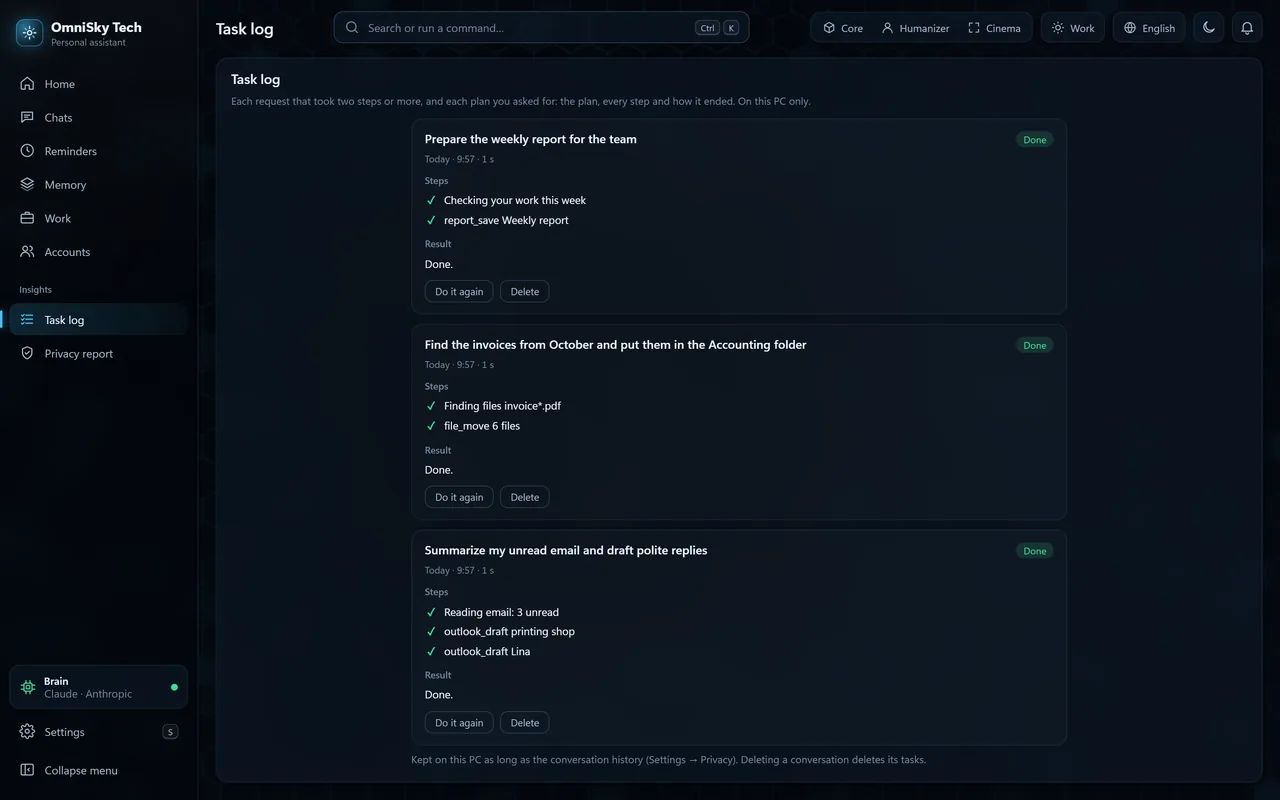
Logs your work by voice and builds the weekly report.
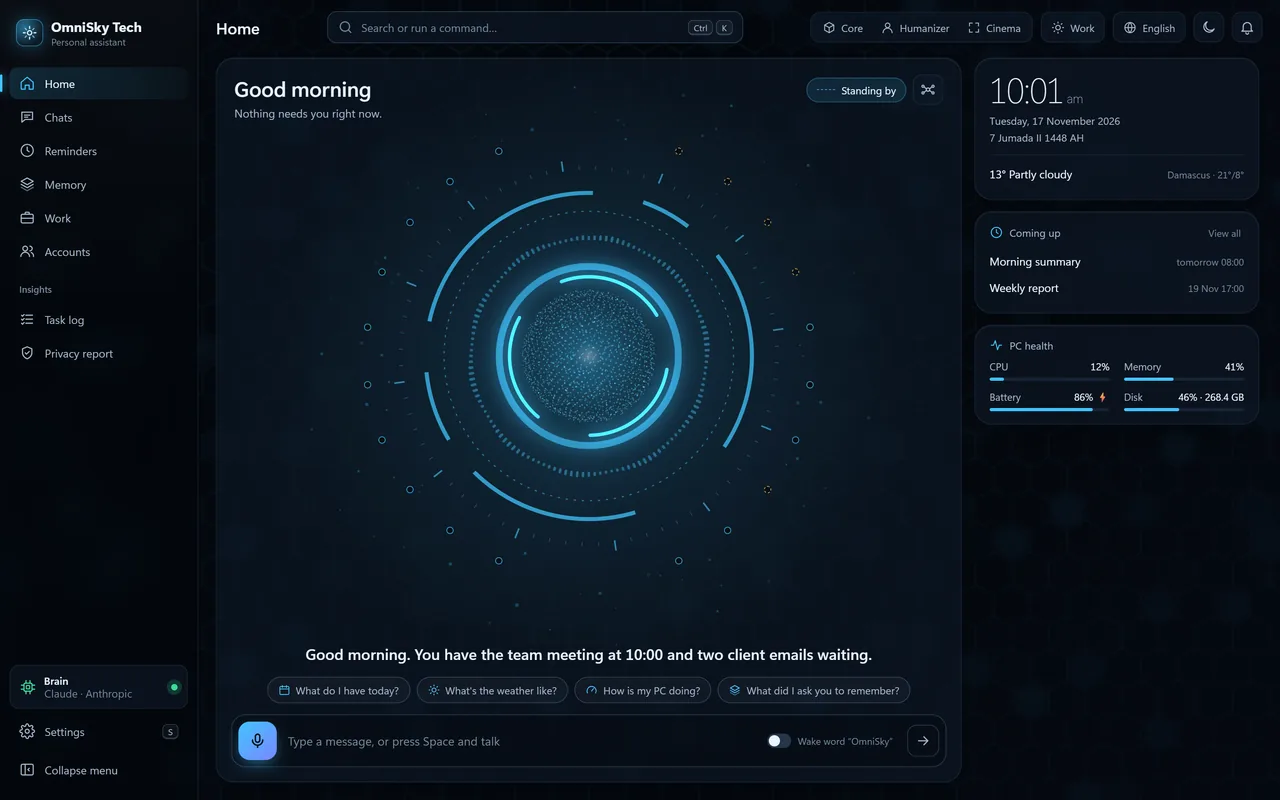
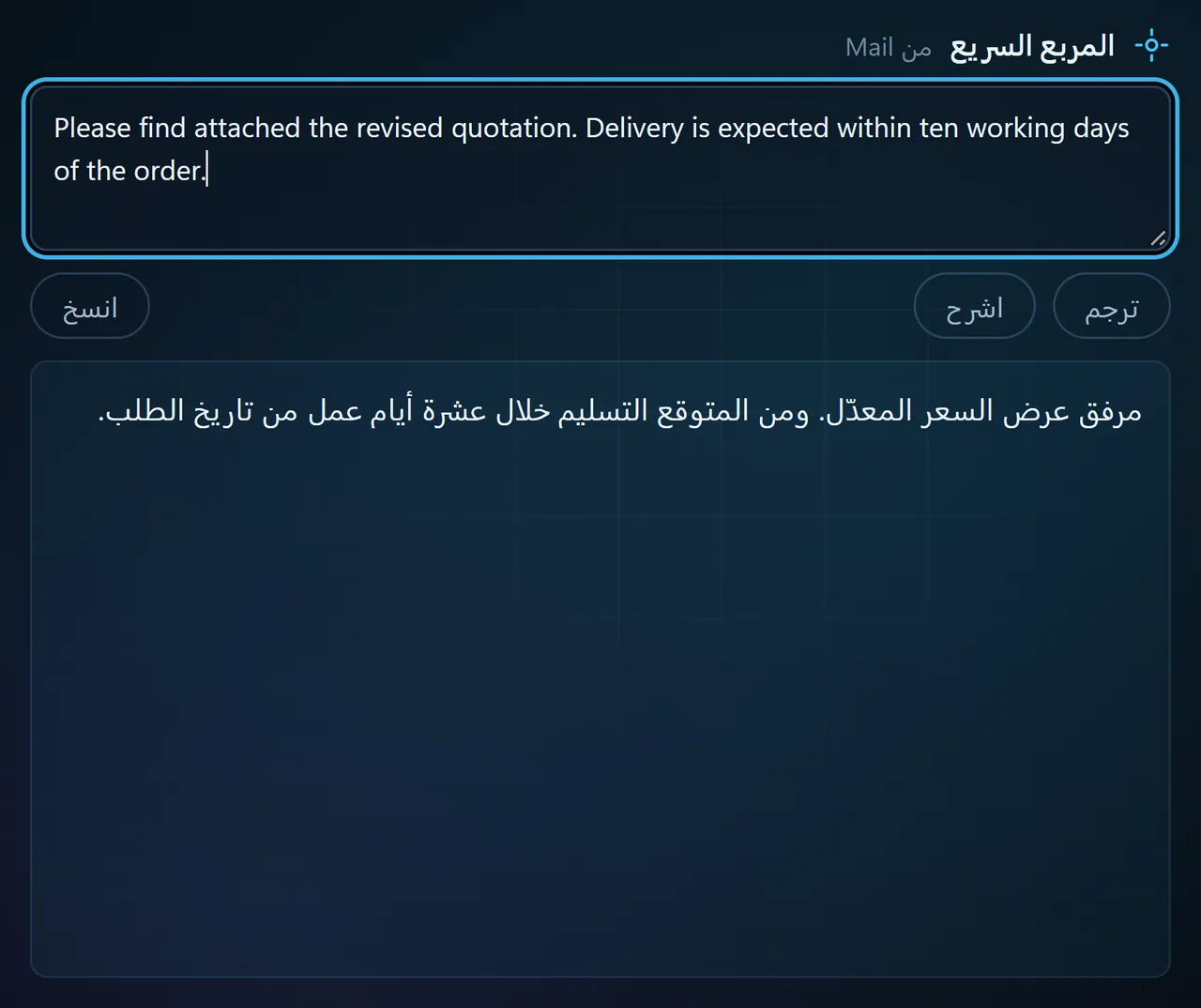
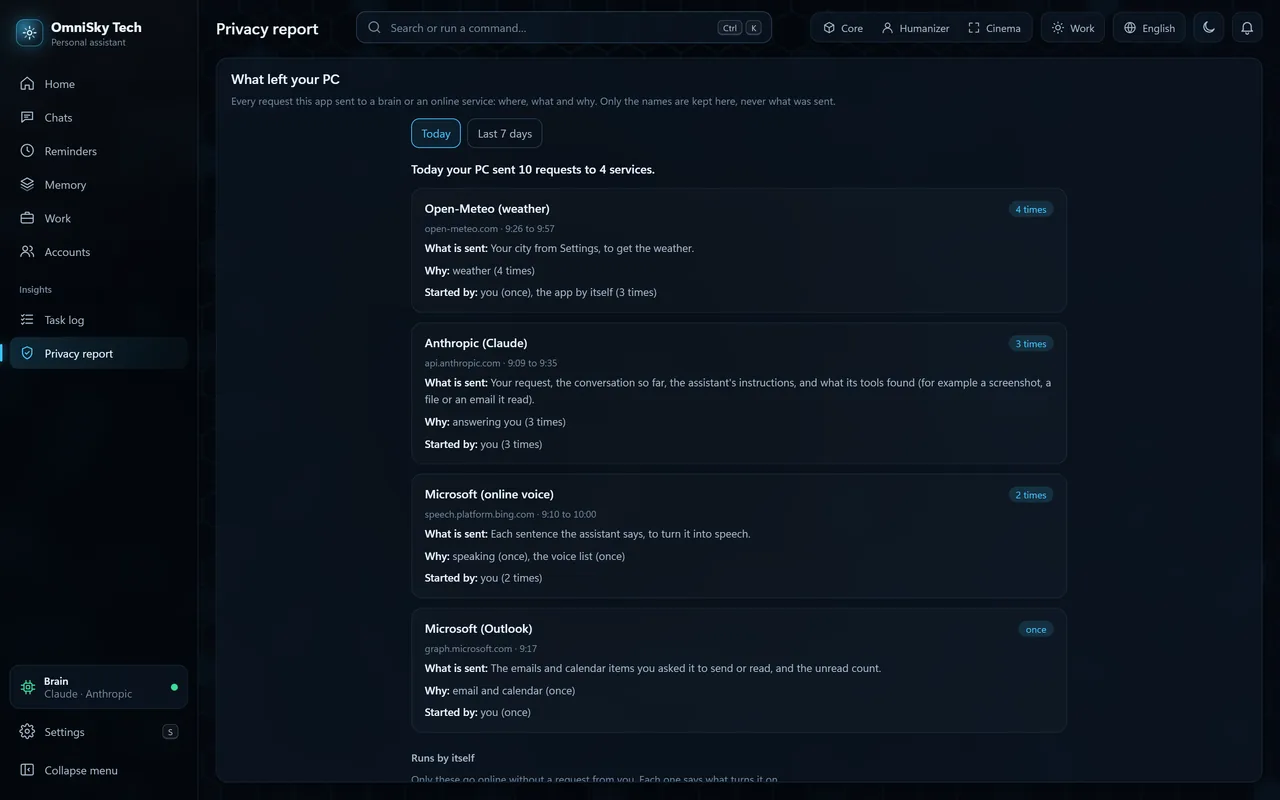
Inside the app
Built for the way you actually work.
- Languages
- 2
- Arabic and English, spoken and on screen
- Brains
- 4
- Claude, GPT, Gemini, or a free one on your PC
- Offline
- 7days
- Keeps working without the internet after activation
- Tracking
- 0
- No telemetry, no ads, nothing sold
Privacy
Clear about what leaves your PC.
No account, and no data collection: your requests, messages, and files never come to us. What you ask goes only to the AI you choose: Claude, GPT, or Gemini, or a free model that runs on your own PC.
Stays on your PC
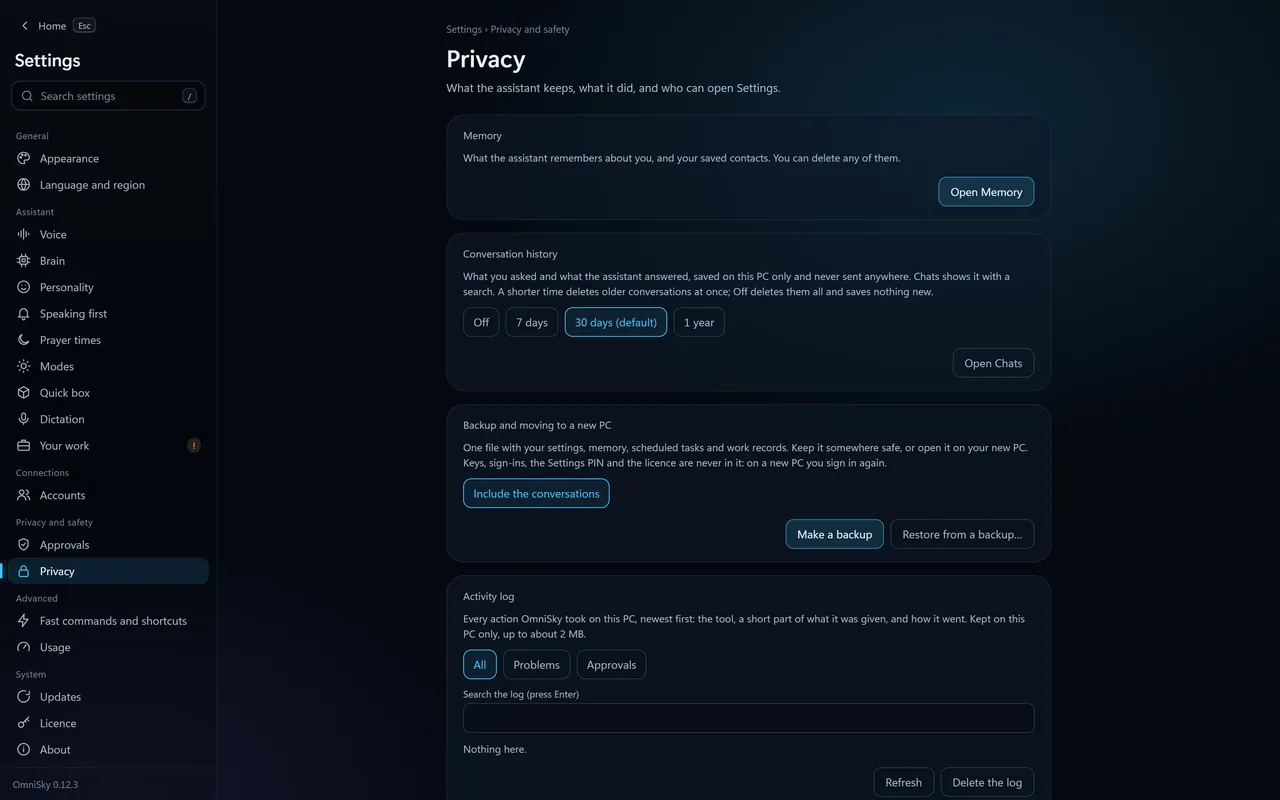
- Settings, memory, and history
- The task log and work records
- Keys and sign-ins, encrypted by Windows
Leaves only to do its job
- What you say or type, the conversation, and tool results (an email you ask it to read), to the AI you chose
- The text you pick in the quick box, to the same AI
- Your voice, to Google or Microsoft, when speech recognition is set to Online
- Reply text to the voice service, unless Windows speaks it
- Your access code, to our server, to check it
Never
- Telemetry or tracking
- Ads, or selling your data
- Training AI models on your data
Early access
Up and running in three steps.
The installer is public. The access code that turns it on comes from us, by email.
- 01
Download the installer
From our releases page on GitHub. Windows 10 or 11, 64-bit, about 335 MB.
- 02
Email us for your access code
Send a short email to our address below. We reply with your personal access code.
- 03
Install, enter the code, and talk
It installs for your own Windows user, no admin rights needed. Enter the code once, and say hello.
Your choice of brain
Pick the AI that answers you.
Bring your own key for an online service, or run a free brain on your PC. Switch at any time in Settings.
Online
Claude
Anthropic's models, with your own API key.
Online
GPT
OpenAI's models, with your own API key.
Online
Gemini
Google's models, with your own key. Gemini has a free tier.
Free · Offline
On this PC
A free model on your PC. Nothing goes to an AI company.
Online services have their own terms and prices, paid to them directly.
Requirements
What you need.
- Windows
- Windows 10 or 11, 64-bit (x64)
- Disk
- About 1.1 GB. Optional offline models: speech 0.5 to 1.6 GB, the on-PC brain about 2.7 GB
- Memory
- Any recent PC with an online brain. The on-PC brain needs 3 to 6 GB free
- Graphics
- Optional. The on-PC brain uses it when there is one
- Internet
- For activation, online brains and voices, and messages. Offline up to 7 days at a time
- Microphone
- For voice. Typing works without one
Questions
Before you ask.
How do I get it?
Download the installer from our GitHub releases page, then email us for your access code. You enter the code once, after installing.
Is my data sent to you?
No. What you ask goes only to the AI service you choose, or stays on your PC with the on-PC brain. Our server only checks your access code and offers updates. The privacy policy lists every service the app talks to.
Do I need the internet?
For activation and for the online AI and voice, yes. With the downloaded speech model and the on-PC brain, it works offline for up to 7 days at a time.
Can it do things without asking me?
Risky commands, closing a program, and deleting files always wait for your yes. Whether it also asks before sending a message is your choice.
Does it speak my dialect?
It understands Arabic and English, and replies in Modern Standard Arabic, or in Syrian dialect if you choose. Syrian dialect is recognised best with online listening.
Is there a Mac or phone version?
Not yet. OmniSky Assistant runs on Windows 10 and 11.
Your PC is ready to listen.
Download the installer, email us for your access code, and say hello in Arabic or English.